Clipmori
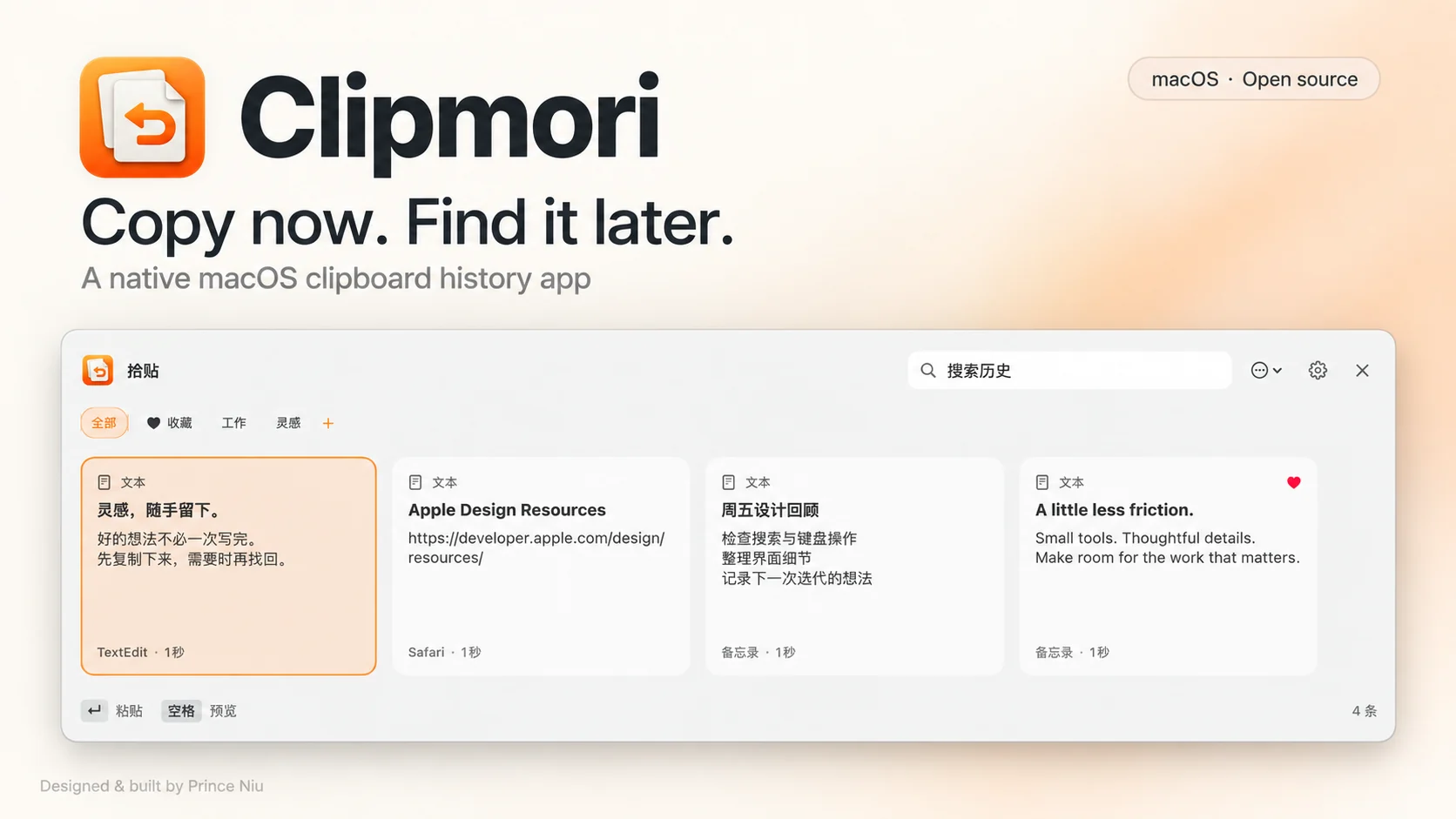
A native macOS clipboard history app built around an everyday need: find something copied earlier, preview it, and paste it again.
- Interaction Design
- macOS Development
- SwiftUI / AppKit
- Period
- September 2026
- Status
- Early macOS release · Signed and notarized installer
Case study at a glance
- Problem
- Find something copied earlier, inspect it, and paste it again.
- Design decision
- Combine horizontal history cards with search, full-content preview, and a choice of paste formatting.
- Result and scope
- An early native macOS release. History stays local but is not encrypted; automatic updates are not available.
Jump to a section
An everyday starting point
Clipmori began with a simple personal need: finding something copied earlier. Its scope centers on copy, find, and paste again—bringing that familiar sequence into a working macOS tool.
A closer look
Three design decisions
- 01
Browse and search
Horizontal cards provide an overview; search locates a clip and Space reveals its full content.
- 02
A formatting choice
Text, images, rich text, and file references, with original-format or plain-text paste.
- 03
Preview before importing
History stays on the Mac. Backup imports show a preview and preserve existing local records.
From implementation to delivery
Built with SwiftUI, AppKit, and SwiftData, with isolated regression tests, documented on-device checks, and a signed, notarized installer.
This is an early release without automatic updates. History and backup files are not encrypted; file entries retain references rather than the files themselves.
View source: github.com/princeniu/LocalPaste
Explore more work
Helmline
A native iPhone client for self-hosted AI agents. Independently designed, built, and released on the App Store. Requires your own compatible Hermes Gateway.
View case studyE-Tongue Sensory Decision Support Platform
A decision-support platform that combines E-Tongue taste measurements with semi-trained panel feedback, helping food developers compare prototypes and decide whether to Go, Tweak, or Stop.
View case study