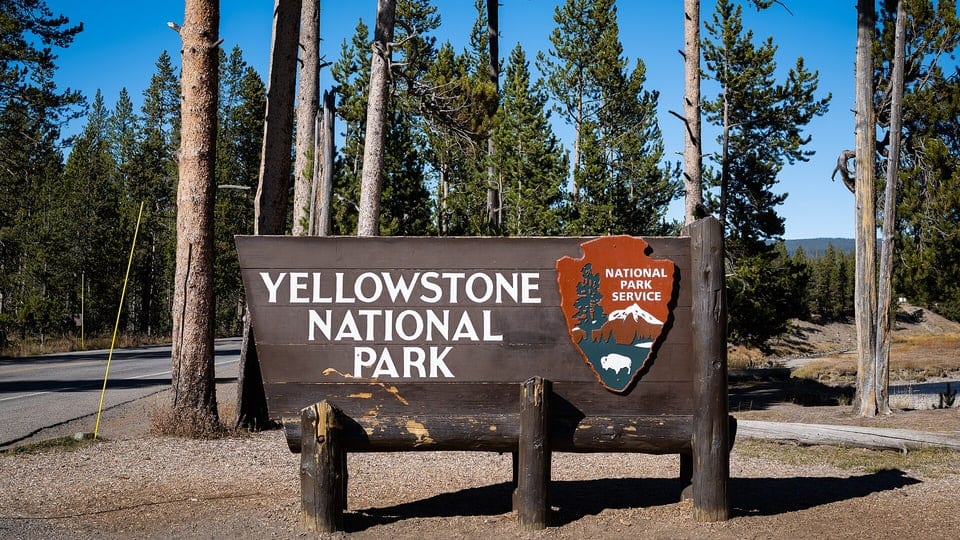
TrekAssist
A solar-powered e-ink guide concept for Yellowstone visitors, shaped through UX/HFE research to support outdoor navigation, emergency response, safety alerts, and low-power interaction.
Jump to a section
Overview
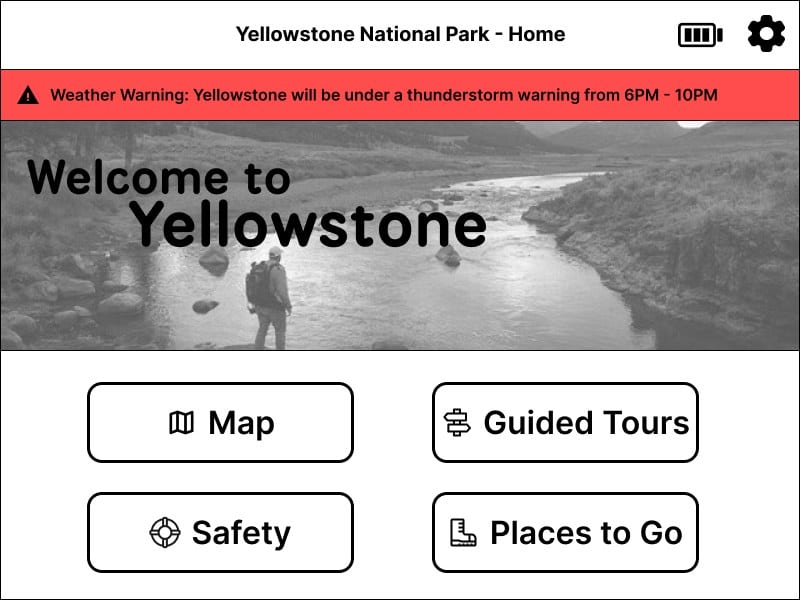
TrekAssist is a solar-powered e-ink guide concept for visitors exploring Yellowstone National Park. As a team UX/HFE project, it asked how a dedicated outdoor device could help people navigate unfamiliar terrain, notice weather and safety alerts, reach emergency support, and protect battery life during long trips.
This was not a standard mobile travel app. The device had an 800×600 landscape e-ink display, limited color, and a maximum refresh rate of 1Hz. Those constraints pushed the interface toward static layouts, larger controls, persistent safety information, and color reserved for moments that needed attention.
Problem Context
National park visitors often make decisions with incomplete information. Weather shifts, trail signs can be confusing, wildlife encounters introduce risk, and phone signal or battery may not be reliable.
The interface needed to help visitors understand where they are, catch important alerts, contact help quickly, browse guided tours and destinations, prepare for hikes, and conserve power without digging through settings.
Process Timeline
The process treated TrekAssist as a constrained UX/HFE problem rather than a static screen concept.
- 01
Concept Exploration
Defined the park-visitor problem space and outdoor device constraints.
- 02
Flow Mapping
Mapped discovery, safety, emergency, and low-power user flows.
- 03
Prototype Design
Designed e-ink-friendly screens with static layouts and large controls.
- 04
Usability Testing
Tested 9 participants across 6 task scenarios.
- 05
Findings Synthesis
Found strong emergency/navigation performance and a Low Power discoverability problem.
- 06
Iteration
Refined alert visibility, battery access, map readability, and safety affordances.
- 07
Final Prototype
Balanced exploration, safety, and low-power outdoor interaction.
Early Exploration and Information Architecture
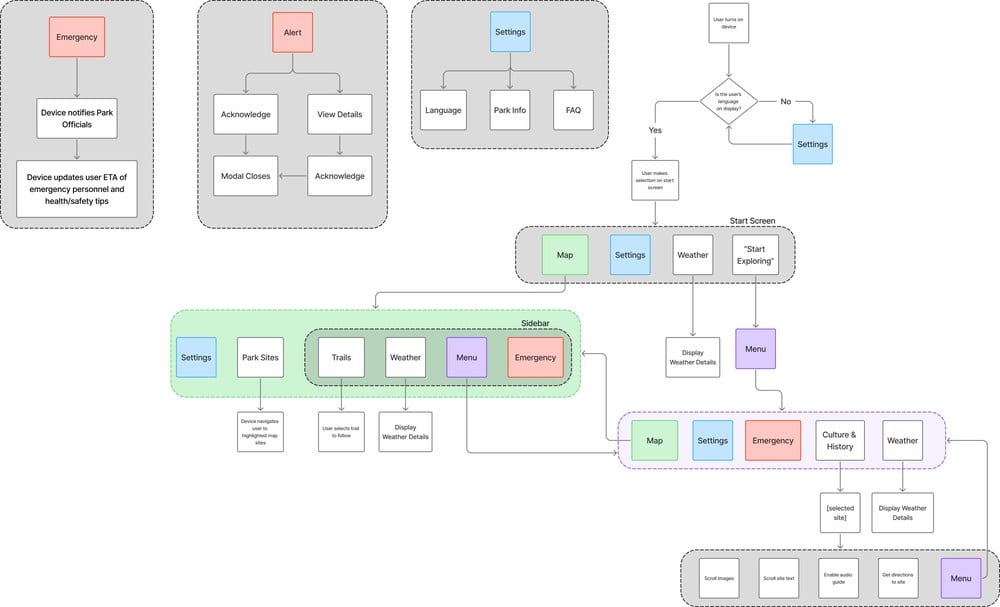
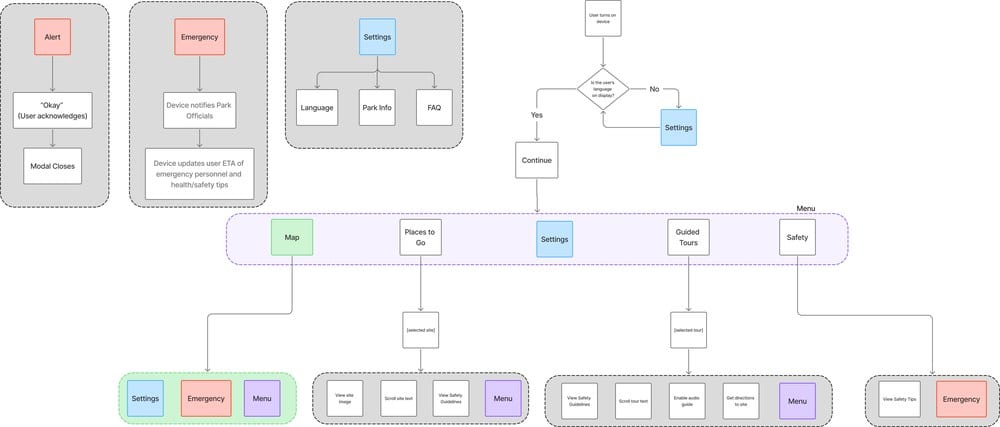
Our team explored safety-first and discovery-led directions before combining them into a park guide centered on safety, navigation clarity, and power-aware interaction. Flow mapping helped decide what belonged at the top level and what needed to stay visible across screens.
Safety-Critical Flow Planning
Safety functions were not buried inside separate sections. The interface kept three things globally available: a top alert ribbon for active warnings, an Emergency button, and accessible settings and battery indicators. That structure supported ordinary exploration as well as urgent safety moments.

Key Interface Decisions
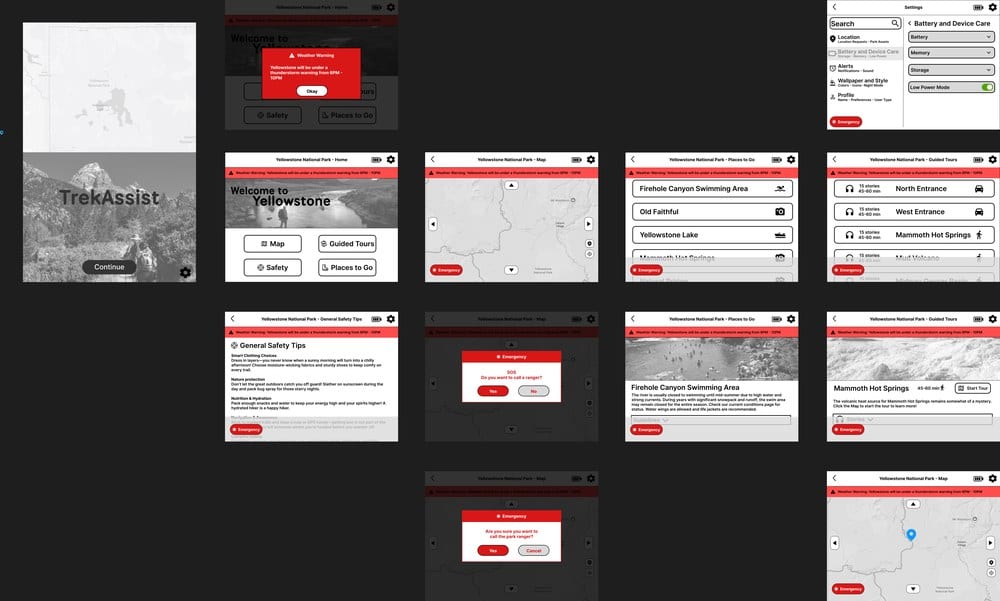
Weather alerts stayed visible in a persistent top ribbon and could expand into a focused modal when the warning required attention. Emergency contact stayed globally available, with a confirmation step to reduce accidental activation without slowing down real requests for help.
The map placed wayfinding, active warnings, destination context, battery access, and emergency support in one static layout that could work on a low-refresh e-ink display.
Usability Testing
To evaluate the prototype, our team tested 9 participants on six tasks: checking weather warnings, contacting a ranger through Emergency, starting a guided tour to Mammoth Hot Springs, finding Yellowstone Lake information, locating long-hike safety tips, and activating Low Power Mode.
We recorded task completion, time on task, errors, attempts, ease ratings, and qualitative feedback. Completion alone was not enough. We wanted to see where the interface created hesitation, confusion, or extra effort.
Testing Snapshot
The test combined performance metrics with participant comments, making it clear where the interface supported safety behavior and where it asked users to work too hard.
- Strong task areas
- Emergency contact, weather warnings, destination information, and guided-tour tasks were generally successful.
- Key issue
- Low Power Mode existed, but participants did not consistently discover where to activate it.
- Design implication
- Battery access and power-saving prompts needed to be more visible, contextual, and directly tied to battery state.
Findings and Iteration
Emergency, weather, destination, and guided-tour tasks were generally successful, which suggested that the large-button structure and persistent safety elements helped users recognize where to go.
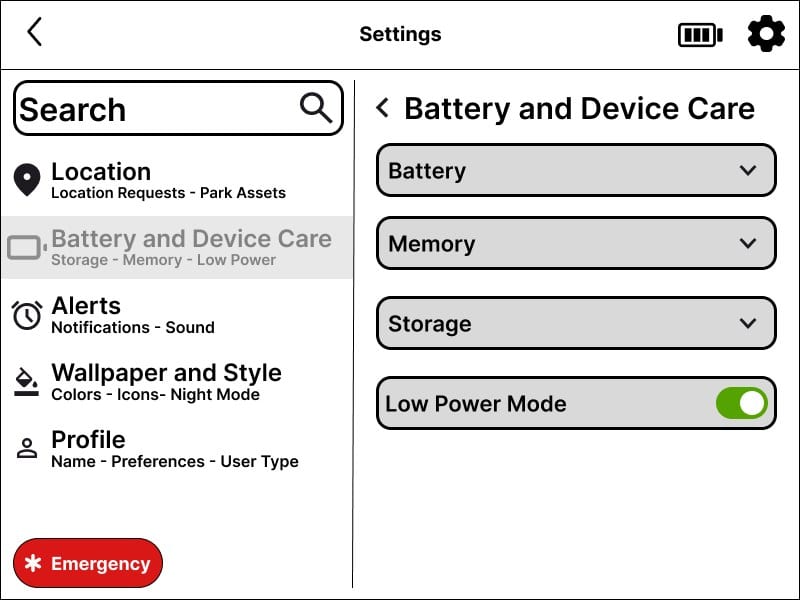
Low Power Mode was technically available before testing, but it depended on users finding the right settings path. After testing, the battery icon and settings relationship became a redesign priority, pointing toward contextual low-battery prompts and more visible power controls.
Testing also showed that purely grayscale screens reduced visual appeal and made some information harder to distinguish. The final direction used color selectively for safety distinction, orientation, hierarchy, and warmth.
These findings connect to two design priorities: clearer battery and settings access for Low Power Mode, and selective color for alert differentiation. The revised screens show the design direction; this case does not report a participant retest after those changes. The task metrics above describe the tested prototype, not measured improvement in the final version.
Low Power Discoverability
Because Low Power Mode existed but was hard to find, the relationship between settings and battery state became a key iteration area. For a solar-powered outdoor device, power-saving controls should appear when users need them, not sit quietly as secondary preferences.

Final Prototype Flows
The final prototype balanced exploration and safety through scannable guided-tour cards, destination detail pages, and preventative safety content. TrekAssist supports people before, during, and after route decisions, instead of only reacting once something goes wrong.
Reflection
TrekAssist showed how much interface design changes when the product moves from a phone app to a constrained outdoor device. Safety and battery features cannot merely exist. Under stress, they need to be discoverable, visually distinct, and easy to understand.
The e-ink display, limited refresh rate, and solar-powered battery forced the team to simplify layouts, avoid unnecessary motion, and be selective with color. The result is a process-led UX/HFE case study about visitor safety, outdoor readability, power conservation, and park exploration.
Explore more work
Little Lemon Restaurant
A restaurant booking and ordering experience for clearer navigation, accessible mobile use, and a reservation flow that gets out of the diner’s way.
View case studyKnowledgeOS
A local-first personal knowledge system maintained by AI agents. It turns conversations, project updates, research, and decisions into Markdown knowledge I can search, review, audit, and reuse.
View case study